Inbox and calendar
Your business email in the same place as your clients and bookings.
Inbox and social module, £5 a month + VAT per connected account, £10 minimum
Clients and bookings module · +£30 a month + VAT, no onboarding fee
A CRM is a list of the people you work with and what has happened with each of them. Cetius keeps that list for you, and fills most of it in itself: an enquiry from your website, a booking or a guide download each creates or updates a contact.
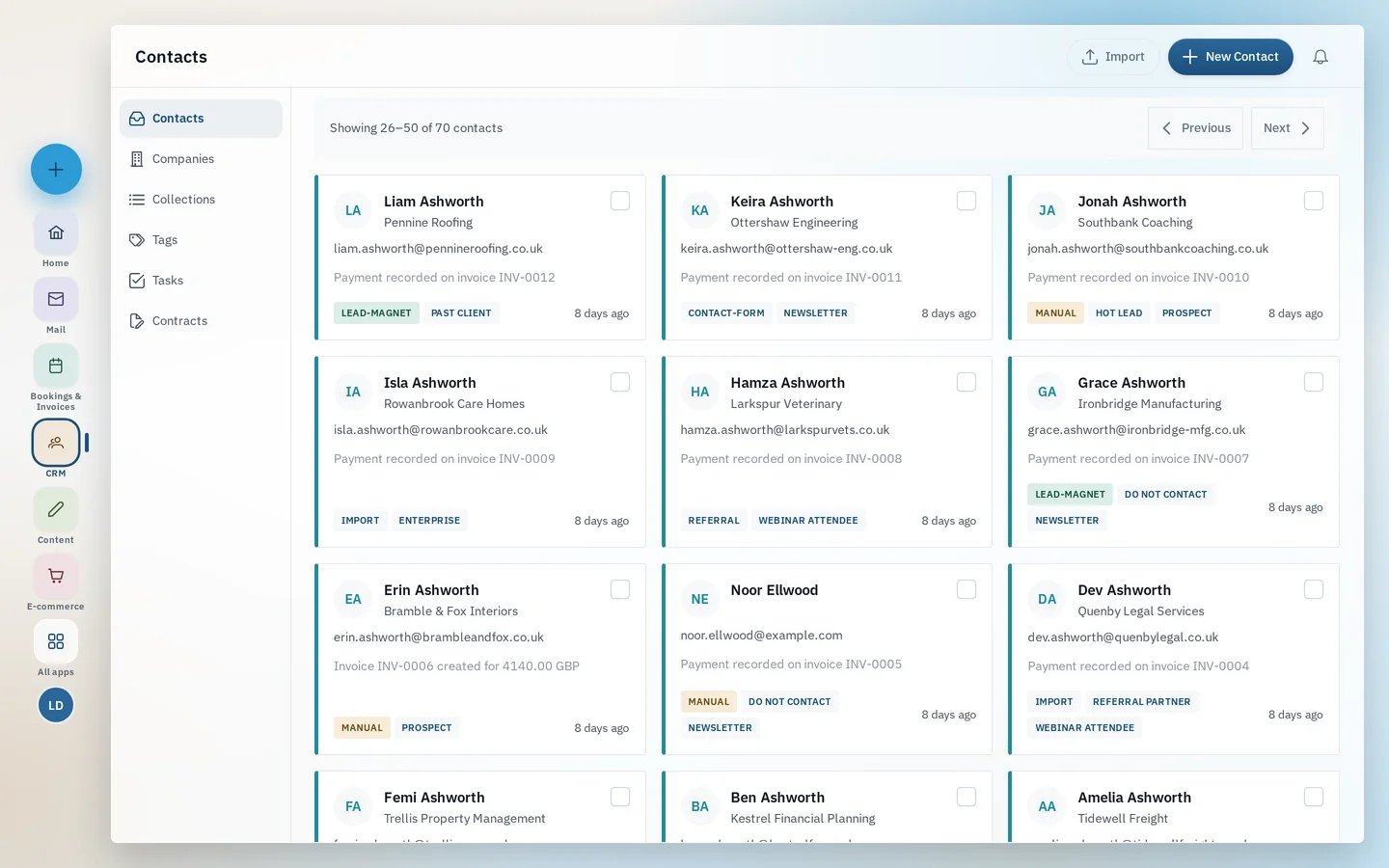
Everyone you work with, linked to the business they belong to.
Website enquiries, bookings and guide downloads create or update contacts.
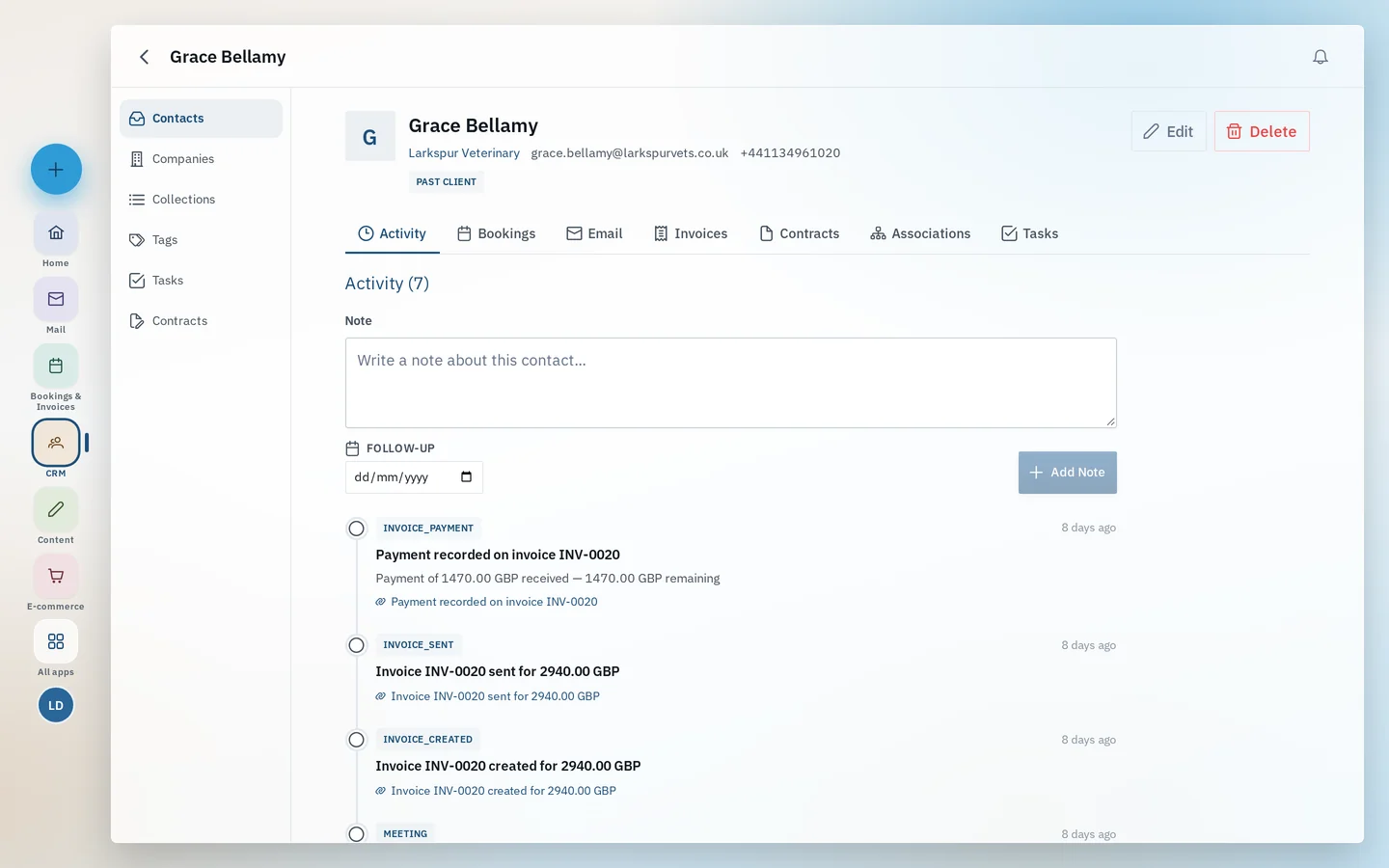
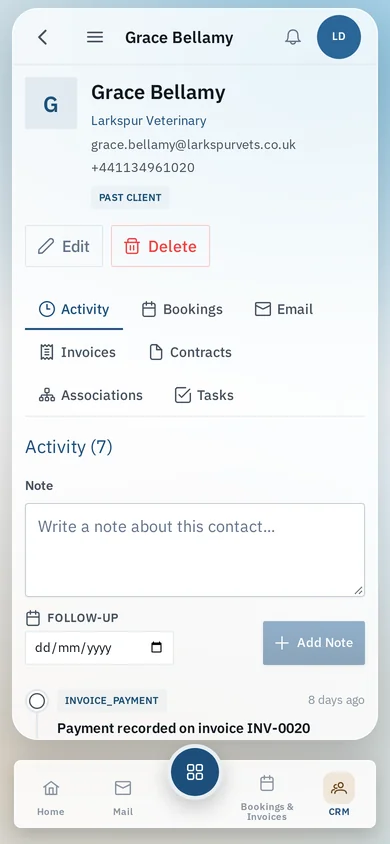
What was said, what you promised and when, on the contact's record.
Group clients the way you think about them and come back to the list.
Bring your existing spreadsheet in at the start.
With a connected mailbox, each contact's emails appear on their record.
Cetius's CRM holds your contacts and the companies they belong to. Each contact has notes, tasks, tags and an activity history, so the next time they get in touch you can see what happened last time.
Most of it is filled in for you. A contact-form enquiry from your website creates a contact. So does a booking, and so does someone downloading one of your guides. You don't copy anything across.
With the Inbox and social module, your mailbox is linked to Cetius and a contact's emails show on their record. You can see the conversation and the booking side by side, and reply from there.
The CRM is the thing your bookings, invoices and contracts hang off, so it comes with them. Every invoice goes to a contact; every booking belongs to one.
Ask your AI assistant "Who enquired last week and hasn't booked?" or "Add a note to Sarah Jones: wants a trial in March." It can find, add and update contacts. It can't delete one; if a contact needs to go, you do that. It also never sees your contacts' email addresses or phone numbers.
 Sample data
Clients and bookings module
Part of the Clients and bookings module, +£30 a month + VAT on top of the Website plan, with no onboarding fee. The module also includes bookings, invoicing, and contracts and timesheets.
+£30 a month + VAT, no onboarding fee
Price your planConnect Cetius to your AI assistant and ask it to do the admin. Outgoing email waits 15 minutes, social posts 30, and it can't delete a contact.
How the AI connection worksYour business email in the same place as your clients and bookings.
Inbox and social module, £5 a month + VAT per connected account, £10 minimum
Clients book on your own website, against your real availability.
Clients and bookings module, +£30 a month + VAT, no onboarding fee
Send invoices from the same place as your clients and bookings, and record what's been paid.
Clients and bookings module, +£30 a month + VAT, no onboarding fee
Yes. Client lists come in from a spreadsheet (CSV), and we move your services, prices and existing website content across during onboarding. Tell us on the first call what you're using now.
No. Your assistant sees your contacts' names, notes and history, but not their email addresses or phone numbers. It can still email a contact through Cetius, which fills in the address without showing it to the assistant.